How to Price Your WordPress Plugin in 2026 (The Complete Strategy Guide)
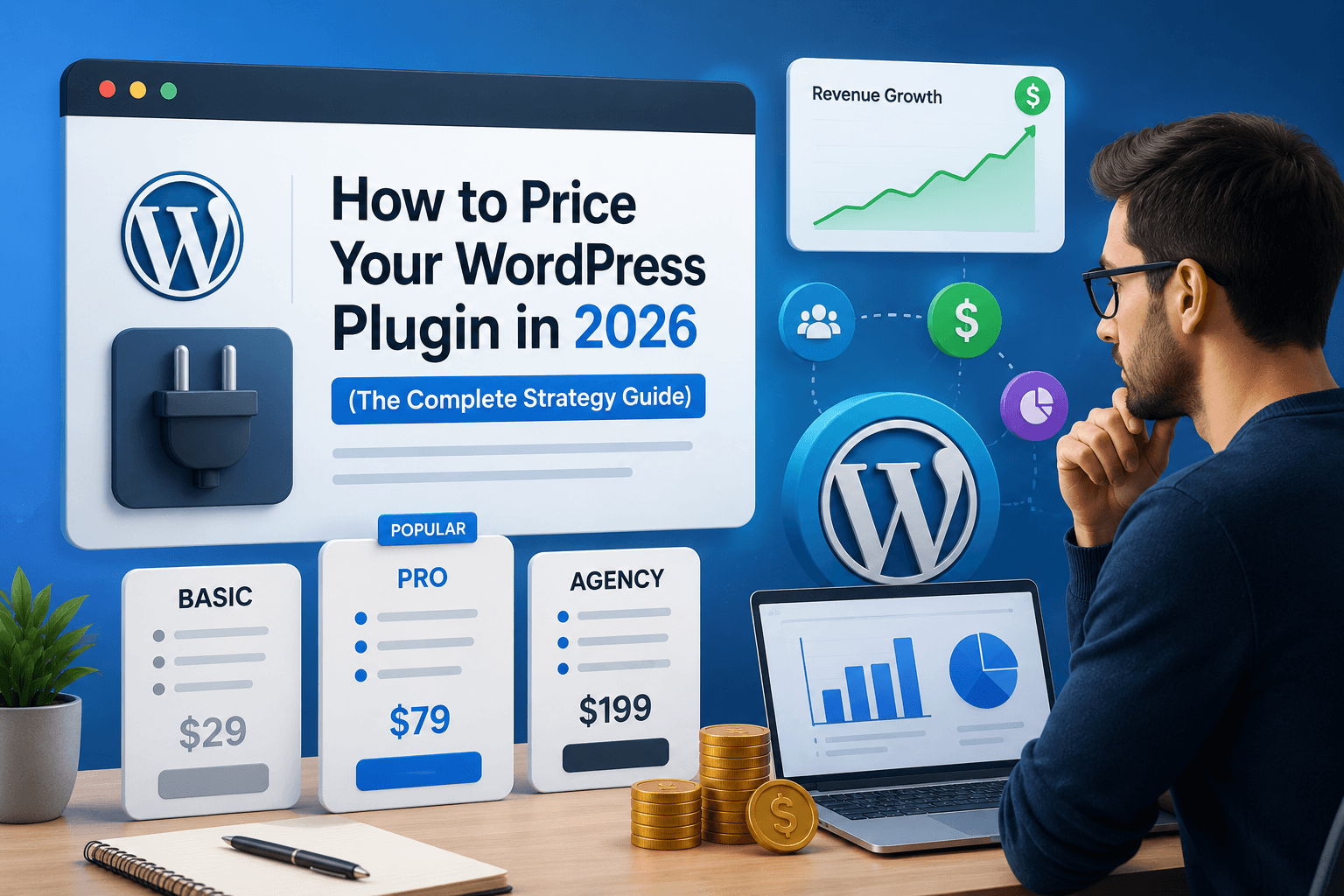
You've built your plugin. It works. People want it. Now comes the question that trips up almost every developer the first time: what do I charge for it?
Price too low and you leave money on the table — and ironically, buyers trust your plugin less. Price too high without the right positioning and you kill conversions before they start. Pick the wrong model and you create churn, resentment, or a race to the bottom.
This guide gives you a practical, data-backed framework for pricing your WordPress plugin in 2026 — from choosing the right model to setting the right number to maximizing long-term revenue.
Quick Answer: How Should You Price a WordPress Plugin in 2026?
The most effective pricing strategy for most WordPress plugin developers in 2026 combines an annual license model with tiered site-based plans (1 site, 5 sites, unlimited). Start your single-site annual plan between $49–$99/year for most plugin categories, offer a lifetime option at 3–4x the annual price, and use a free version on WordPress.org to drive freemium discovery. ChargePanda is best for: plugin developers who want to implement all three models — annual, lifetime, and freemium upgrades — from one self-hosted platform with a full license key REST API, subscription management, and 0% platform fees.
Step 1: Understand the Four Pricing Models
Before you pick a number, you need to pick a model. These are the four options available to WordPress plugin developers — and each attracts a different type of buyer.
1. Annual License (Recommended for most plugins)
The customer pays once a year to access updates, new features, and support. This is the dominant model in the WordPress plugin market in 2026 — used by Yoast SEO, WP Rocket, WooCommerce extensions, and most established plugins.
Why it works: It creates predictable recurring revenue. Each renewal is a vote of confidence in your plugin. It also gives you a reason to keep improving — customers expect new features each year to justify renewal.
Typical renewal rates: Good plugins see 40–60% annual renewal rates. At 50%, if you get 100 new customers this year, expect 50 to renew next year, 25 the year after, and so on. Build your revenue model around this math from day one.
Best for: Plugins that customers use on an ongoing basis — SEO tools, page builders, form plugins, backup plugins, WooCommerce extensions.
2. Lifetime License
One payment. Access forever. No renewals.
Lifetime licenses are controversial in the WordPress developer community — and for good reason. A plugin developer named the "WP Rocket Transparency Report" famously stopped offering lifetime licenses because they were killing the business. Here's the data-backed truth on lifetime pricing.
Research from Freemius shows that the realistic probability of a customer renewing the same plugin for 5 consecutive years is around 6% — meaning even at a 50% renewal rate, compounded annually, very few customers stick around that long. This means a lifetime license priced at 3–4x your annual price is actually a very profitable deal for you — you collect what a 3–4 year customer would pay, upfront, and the customer gets certainty.
The rule: Never offer lifetime at less than 3x annual. 4x is better. If your annual plan is $79, your lifetime should be $237–$316, not $99.
Best for: Supplementary revenue stream. Not your primary model — but a powerful conversion tool for buyers who resist subscriptions.
3. Freemium (Free + Premium)
Your plugin is free on WordPress.org. Premium features, more site licenses, or priority support are paid. This is how Yoast SEO, UpdraftPlus, WPForms, and most of the highest-installed plugins in the WordPress ecosystem operate.
The numbers on freemium are compelling: a free plugin in the WordPress.org repository gets discovered by thousands of users at no marketing cost. The key is that your free version must be genuinely useful — not so stripped down that no one installs it, but not so complete that no one upgrades.
Conversion benchmark: A 2–5% free-to-paid conversion rate is realistic and profitable at scale. 10,000 active installs at 2% conversion = 200 paid customers. At $79/year = $15,800/year without spending a dollar on ads.
Best for: Plugins in competitive categories where free discovery on WordPress.org is valuable — security, SEO, forms, backups, page builders.
4. One-Time Payment (No Renewals)
A single upfront fee. No subscription, no renewal. The customer owns the plugin version they purchased.
This model was popular in the CodeCanyon era. It's declining for good reason — it creates no recurring revenue, incentivizes no ongoing development, and makes it impossible to build a sustainable business. Every year you start from zero.
The exception: One-time pricing works for plugins that genuinely don't need ongoing updates — simple utilities, single-purpose tools, niche scripts. But for anything complex or security-sensitive, a renewal model protects both you and your customers.
Step 2: Research What Your Category Charges
Pricing in a vacuum is pricing to fail. Before you set a number, spend 30 minutes mapping your competitive landscape.
Here's what the market looks like in 2026 across common plugin categories:
| Plugin Category | Typical Single-Site Annual | Typical Unlimited Annual | Common Model |
|---|---|---|---|
| SEO plugins | $89–$129/year | $199–$299/year | Freemium + annual |
| Security plugins | $99–$199/year | $299–$499/year | Freemium + annual |
| Page builders | $59–$99/year | $199–$299/year | Freemium + annual |
| Backup plugins | $89–$149/year | $199–$399/year | Freemium + annual |
| Form builders | $49–$99/year | $199–$299/year | Freemium + annual |
| Membership plugins | $99–$179/year | $299–$499/year | Annual or premium |
| WooCommerce extensions | $49–$149/year | $249–$499/year | Annual |
| Niche utility plugins | $29–$69/year | $99–$199/year | Annual or one-time |
Your pricing should be within the category range — not dramatically below it. Pricing below the market range signals low quality, not affordability. Buyers in the WordPress space are experienced enough to know that a $19/year security plugin isn't as trustworthy as a $99/year one.
Step 3: Build Your Pricing Tiers
Almost every successful WordPress plugin uses a tiered pricing structure based on the number of site licenses. This is the simplest and most effective structure for most plugins.
A standard 3-tier setup looks like this:
| Tier | Sites Covered | Positioning | Price Ratio |
|---|---|---|---|
| Personal | 1 site | Freelancers, solo projects | 1x (baseline) |
| Business / Plus | 5 sites | Small agencies, active developers | 2–2.5x |
| Agency / Unlimited | Unlimited sites | Agencies, large teams | 3–4x |
Example at $79/year baseline:
- Personal (1 site): $79/year
- Business (5 sites): $169/year
- Agency (unlimited): $249/year
- Lifetime Personal: $249 (3x annual)
- Lifetime Agency: $699 (2.8x annual agency)
One pricing psychology tip: make your middle tier feel like the obvious choice. Put a "Most Popular" badge on the Business tier. Most buyers will anchor to it — and it earns you 2x the revenue of the Personal tier from one sale.
Step 4: Use Pricing Psychology to Increase Conversions
These aren't tricks — they're well-documented patterns that affect how buyers evaluate value. Use them honestly.
Charm Pricing
$79 converts better than $80. $99 converts better than $100. The difference is psychological, not logical — but it's real. Use .00 pricing only for premium or enterprise tiers where you want to signal seriousness, not discounts.
The Decoy Effect
If you offer three tiers, price your middle tier so it feels like a bargain relative to the top tier. A $79 / $169 / $249 structure makes $169 look far more reasonable than if it stood alone at $169. The $249 "Agency" tier exists partly to make $169 seem affordable.
Annual vs Monthly Framing
If you offer monthly billing, show the annual equivalent price alongside it. "$9/month ($79/year — save 26%)" consistently outperforms just "$79/year" in A/B tests. The savings framing adds perceived value.
Money-Back Guarantee
Research from a 70-plugin analysis found that 32% of plugin developers offer no refund policy — and this directly hurts conversions. A clear 14 or 30-day money-back guarantee removes purchase anxiety. It costs you almost nothing in practice (refund rates are typically 2–5% for well-built plugins) but significantly increases your conversion rate.
Social Proof in Pricing
Add the active install count or customer number near your price. "Trusted by 10,000+ developers" next to a $99 price tag makes that price feel more justified than the number alone.
Step 5: The Freemium Decision — Should You Offer a Free Version?
This is the most debated question in WordPress plugin monetization. Here's an honest framework for deciding.
Go freemium if:
- Your plugin category is competitive and WordPress.org search is a meaningful discovery channel
- Your plugin has a clear "free is useful, premium is powerful" split
- You can afford to support free users (even a simple FAQ and documentation)
- You're entering a market where established free alternatives exist — a free tier makes you comparable
Skip freemium if:
- Your plugin is highly specialized — niche buyers don't need free trials to decide
- You can't cleanly split free and premium features without crippling the free version
- The support burden of free users would overwhelm your capacity
- You're selling to agencies or businesses who expect to pay — free signals hobby project to this audience
If you do go freemium, the most effective split is: free version handles the core use case, premium handles scale and edge cases. A free backup plugin that backs up once a week is genuinely useful. Premium unlocks real-time backups, cloud storage, and multiple sites. That's a clean, honest freemium split.
Step 6: Lifetime Licenses — How to Do It Without Hurting Your Business
Lifetime licenses are a polarizing topic. Some developers swear by them. Others (notably WP Rocket) stopped offering them entirely. Here's how to offer lifetime licenses safely.
The math you need to know: At a 50% renewal rate, the expected revenue from an average customer over their lifetime is approximately 2x the annual price. Price your lifetime license at 3–4x annual and you're collecting more than the statistical expected value of that customer — making lifetime deals profitable for you.
How to limit your exposure:
- Offer lifetime licenses as limited-time promotions (launch period, Black Friday) rather than permanent catalog items
- Cap the number of lifetime licenses you sell per quarter
- Clearly define what "lifetime" means in your terms — typically "lifetime of the product" or "while the product is actively maintained"
- Never include unlimited sites in a cheap lifetime deal — agencies will abuse it
Step 7: Renewal Strategy — How to Keep Revenue Flowing
Getting a customer is only half the work. Keeping them is where plugin businesses live or die.
Research on 70 premium plugins found that 95% of plugin developers have no auto-renewal system. This is leaving enormous revenue on the table.
An effective renewal strategy includes:
- Renewal reminder emails: Send at 60 days, 30 days, and 7 days before expiry. Remind them what they'll lose (updates, support). Keep it simple and human.
- Renewal discount: A 10–20% renewal discount for existing customers increases renewal rates meaningfully. Frame it as loyalty pricing, not desperation.
- Changelog communication: Send an email when you release a significant update. Customers renew when they feel the plugin is actively maintained and improving. Silence is churn.
- License expiry webhook: If your plugin integrates with your licensing API, expire features gracefully when a license lapses — update nags, not broken functionality. Aggressive expiry that breaks sites creates refund demands and bad reviews.
ChargePanda handles renewal reminders, webhook triggers on license expiry, and subscription status tracking out of the box — no additional tools or custom development required.
Common Pricing Mistakes to Avoid
1. Pricing too low out of fear
The most common mistake. $19/year makes you look cheap, not accessible. If your plugin saves a developer 2 hours of work, it's worth $79. Price the value, not your time.
2. Offering too many tiers
More than 4 pricing options creates decision paralysis. Three tiers with one lifetime option is the sweet spot. More than that and buyers leave to think about it — and don't come back.
3. No money-back guarantee
This single change can increase conversion rates by 15–30%. Implement it.
4. Lifetime licenses priced too low
If your annual is $79 and your lifetime is $99, you've trained buyers to wait for "deals" and destroyed your recurring revenue model. Lifetime at less than 3x annual is a mistake.
5. Never testing your prices
Your launch price is a hypothesis, not a law. Run a price test at 90 days — increase your price by 20% and track conversion rate. If conversions drop less than 20%, you've just increased revenue. Most developers never test. This is how you get ahead of them.
Frequently Asked Questions
How much should I charge for a WordPress plugin in 2026?
For most plugin categories, a single-site annual license should be priced between $49 and $149/year. Simple utility plugins can start at $29–$49. Complex plugins solving high-value problems (security, WooCommerce, SEO) can command $99–$199/year for a single site. Always research your category's pricing range before setting your price — aim to be within the market range, not dramatically below it.
Is annual or lifetime pricing better for WordPress plugins?
Annual licensing is generally better for building a sustainable, long-term business — it creates predictable recurring revenue and incentivizes ongoing development. Lifetime licenses work well as a supplementary option, priced at 3–4x your annual rate. Never make lifetime your primary model, as it creates zero recurring revenue and makes business planning extremely difficult.
What is a good free-to-paid conversion rate for a WordPress plugin?
A 2–5% free-to-paid conversion rate is considered healthy for WordPress plugins with a freemium model. At 10,000 active installs and a 3% conversion rate at $79/year, you'd generate approximately $23,700 annually. Focus on growing active installs and improving your freemium conversion funnel before raising prices.
Should I offer a free version of my WordPress plugin on WordPress.org?
It depends on your category and audience. If you're in a competitive category where buyers discover plugins through WordPress.org search (SEO, forms, security, backups), a free version significantly increases your reach. If you're selling to agencies or businesses who have a budget and a specific problem to solve, a free version may not be necessary — and may actually reduce perceived value.
How do I handle plugin license key validation and renewal tracking?
You need a licensing platform that generates unique keys, validates them via API calls from inside your plugin, enforces activation limits, and sends renewal reminder emails automatically. ChargePanda handles all of this out of the box — including a REST API for license validation, renewal webhook triggers, and subscription status tracking — without requiring additional extensions or annual fees.
What renewal discount should I offer WordPress plugin customers?
A 10–20% renewal discount is the standard range. Too low (5%) and it doesn't move the needle. Too high (40–50%) and you've effectively repriced your product downward — customers will expect that discount every year. Frame the discount as loyalty pricing rather than a sale. Send it at 30 days before expiry, not after expiry when customers have already moved on.
Final Verdict
Pricing a WordPress plugin isn't a one-time decision — it's an ongoing strategy. The developers who build sustainable plugin businesses aren't the ones who guessed the right number at launch. They're the ones who chose the right model, stayed within the market range, implemented proper renewal systems, and tested their prices consistently.
Start with annual licensing. Add lifetime as a premium option at 3–4x annual. Use freemium if your category warrants it. Set a price within your category range — and don't be afraid to charge what your plugin is actually worth.
Then make sure the platform you're selling on doesn't eat into that revenue. Every percentage point a platform takes from your annual renewals compounds into thousands of dollars over time. A self-hosted setup with 0% platform fees keeps every dollar of your pricing strategy working for you — not for the platform.
Want to implement annual licenses, lifetime options, and renewal reminders all from one platform? See ChargePanda's live demo or explore the WordPress plugin use case.
Related Reading
ChargePanda Support
ChargePanda Support is the editorial team at ChargePanda — a self-hosted platform helping developers and digital product sellers manage licensing, file delivery, subscriptions and support from one place.